Today, we’re diving into WordPress’s top 5 drag-and-drop page builders. Whether you’re a professional WordPress designer or a business owner looking for an affordable WordPress development solution, this guide will help you choose the best page builder to meet your needs.
Drag-and-drop page builders have revolutionized the way we design websites. These tools allow users to create beautiful, responsive designs without writing a single line of code. These page builders are game-changers for WordPress users, offering flexibility, ease of use, and powerful features.
1. Elementor

Features and Benefits
Elementor is one of WordPress’s most popular page builders, known for its intuitive interface and extensive customization options. It offers a live front-end editor, allowing you to see real-time changes.
- Drag-and-Drop Interface: Easy to use, even for beginners.
- Templates and Widgets: Over 300 designer-made templates and 90+ widgets.
- Responsive Design: Ensures your site looks great on all devices.
- Theme Builder: Customize your theme’s headers, footers, and other parts.
- Popup Builder: Create stunning popups with ease.
Pros and Cons
- Pros: User-friendly, extensive library of templates, powerful design capabilities.
- Cons: Some advanced features require the Pro version.
Pricing and Plans
Elementor offers a free version with basic features, while the Pro version costs $49 annually.
Who Should Use Elementor?
Elementor is perfect for those who want a balance between ease of use and advanced design features. It’s ideal for both beginners and professional WordPress designers.
2. Beaver Builder

Features and Benefits
Beaver Builder is a robust and reliable page builder that offers a clean interface and a wide range of design options.
- Front-End Editing: See your changes in real time.
- Pre-Built Templates: A variety of templates to kickstart your design.
- Module Options: Includes modules for content, media, and layout.
- Developer-Friendly: Supports custom CSS and shortcodes.
- Theme Compatibility: Works with any WordPress theme.
Pros and Cons
- Pros: Stable and reliable, developer-friendly, great for agencies.
- Cons: Limited design options in the free version.
Pricing and Plans
Beaver Builder’s standard plan starts at $99 annually, with a limited free version available.
Who Should Use Beaver Builder?
Beaver Builder is ideal for developers and agencies looking for a reliable and extensible page builder.
3. Divi Builder
Features and Benefits
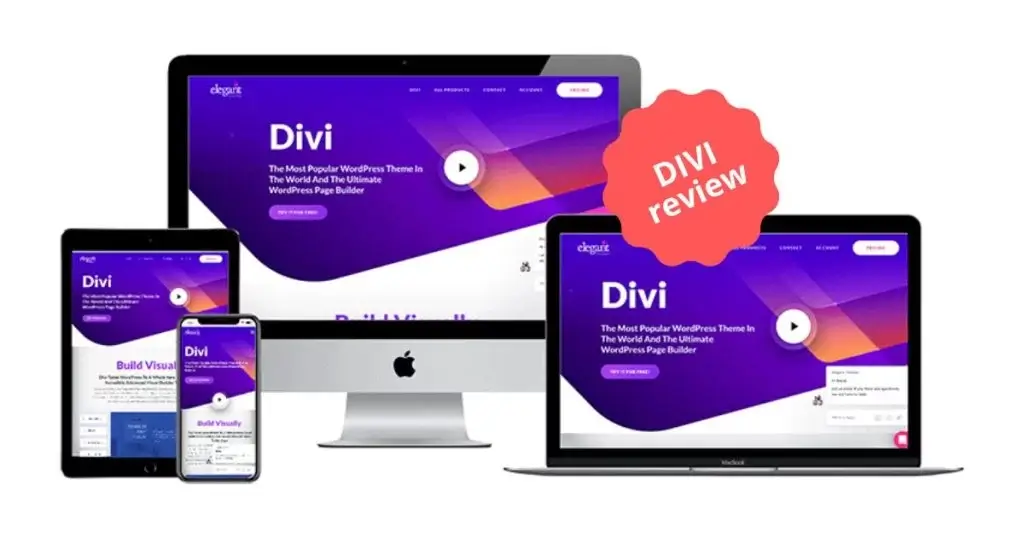
Divi Builder, developed by Elegant Themes, is known for its powerful visual editor and extensive design options.
- Visual Builder: Drag-and-drop interface with real-time preview.
- Design Elements: 40+ design elements, including sliders, forms, and galleries.
- Global Elements: Apply changes across your entire site with one click.
- Custom CSS Control: Advanced customization options for developers.
- Split Testing: Built-in A/B testing to optimize your site.
Pros and Cons
- Pros: Powerful and flexible, great for complex designs, excellent support.
- Cons: It can be overwhelming for beginners and requires a theme subscription.
Pricing and Plans
Divi Builder is available for the Elegant Themes membership, starting at $89 annually.
Who Should Use Divi Builder?
Divi Builder is perfect for designers and developers who want extensive customization options and powerful design tools.
4. WPBakery Page Builder

Features and Benefits
WPBakery Page Builder is a versatile and feature-rich page builder that has been around for years.
- Backend and Frontend Editors: Choose your preferred editing mode.
- Element Library: 50+ content elements and templates.
- Compatibility: Works with any WordPress theme and supports custom shortcodes.
- Responsive Design: Built-in options for responsive design.
- Add-Ons: Extensive library of add-ons for additional functionality.
Pros and Cons
- Pros: Versatile, extensive element library supports backend and frontend editing.
- Cons: The interface can be clunky, and some features require add-ons.
Pricing and Plans
WPBakery Page Builder is available for $64 for a regular license.
Who Should Use WPBakery Page Builder?
WPBakery is suitable for users who need a versatile and feature-rich page builder that works with any theme.
5. Thrive Architect
Features and Benefits
Thrive Architect is a conversion-focused page builder designed for marketers and business owners.
- Drag-and-Drop Editor: Intuitive and easy to use.
- Conversion Elements include countdown timers, testimonials, and lead-generation forms.
- Template Library: 270+ landing page templates.
- Mobile Responsive: Ensures your pages look great on all devices.
- A/B Testing: Built-in tools for testing and optimizing your pages.
Pros and Cons
- Pros: Conversion-focused, extensive template library, great for marketers.
- Cons: Limited to Thrive Themes ecosystem.
Pricing and Plans
Thrive Architect is available as part of the Thrive Suite, starting at $19 monthly.
Who Should Use Thrive Architect?
Thrive Architect is ideal for marketers and business owners focused on conversions and lead generation.
Comparison of the Top 5 Page Builders
Feature Comparison
Each page builder offers unique features tailored to different needs. Elementor and Divi Builder provide extensive design options, while Thrive Architect focuses on conversion elements.
Pricing Comparison
Elementor and Divi Builder offer affordable annual plans, while WPBakery has a one-time fee. Thrive Architect and Beaver Builder are priced higher but offer extensive features.
Ease of Use Comparison
Elementor and Beaver Builder are known for their user-friendly interfaces, making them ideal for beginners. Divi Builder and WPBakery offer more advanced options for experienced users.
How to Choose the Right Page Builder for Your Needs
When choosing a page builder, consider your specific needs and goals. If you’re looking for a balance of ease of use and powerful features, Elementor is a great choice. For developers and agencies, Beaver Builder offers reliability and extensibility. Divi Builder is perfect for those who want advanced design options, while WPBakery provides versatility. Thrive Architect is ideal for marketers focused on conversions.
Conclusion
Each page builder offers unique advantages; the best choice depends on your specific needs. At CodeCircle.net, we specialize in WordPress website design and development, offering custom solutions to meet your requirements. Whether you need a complete WordPress website redesign, responsive design, or WordPress SEO optimization, our expert WordPress developers are here to help.